Incoming letter
AI mail scanner for iPhone
PaperlessHero turns paper mail into tasks you do not miss.
Scan a letter, bill, receipt, or tax document. Get the AI summary, searchable PDF, and Apple Reminder before the next deadline slips through.
1 Magic Scan included
No account wall
Built for Apple Reminders
Built for busy iPhone users who want less paper, fewer missed deadlines, and a calmer admin routine.

AI summary
Payment due in 10 days. Electricity bill for February. Save the PDF and set a reminder today.
- Amount recognized
- Due date detected
- Reminder ready
Apple Reminder
Pay utility bill
Tomorrow, 6:00 PM
Created in one tapThe real paperwork problem
Mail becomes expensive when it sits around.
An unopened letter is not just clutter. It can turn into late fees, missed forms, and one more thing you keep in your head.
One-touch habit
Open the mail, scan the document, and decide the next action before it becomes a pile.
Reminder close loop
Due dates become Apple Reminders, so the task leaves your head and lands where you already plan.
The first 30 seconds
From paper to summary, reminder, and archive.
The page is not selling a filing system. It is selling the moment a stressful letter becomes one understandable next step.
- Amount recognized
- Due date detected
- Reminder ready
PaperlessHero is an AI document scanner for iPhone that helps with letters, bills, receipts, tax paperwork, and official mail by combining OCR, AI summaries, PDF export, and Apple Reminders.
Try Your First Magic Scan
Built around immediate progress
Your first win happens in under a minute
The first session has one job: scan one real letter and turn it into one clear next step.
Snap your mail
Use your iPhone camera to capture one or multiple pages in a clean, readable scan.
AI reads for you
AI gives you a short summary, highlights the sender, and surfaces the due date or next step.
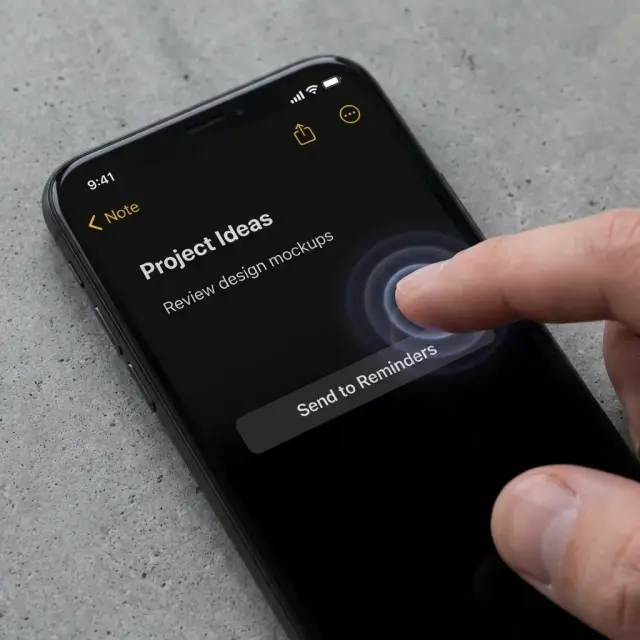
One-tap action
Create an Apple Reminder, save the PDF, and keep the document searchable for taxes, bills, and follow-ups.
Decision confidence
Why people switch to PaperlessHero
Before you download, you need to know three things: setup is fast, your documents stay private, and the app actually saves time.
Will setup waste my time?
Install, scan, done. There is no account wall, no onboarding maze, and no folder system to build first.
Can I trust it with private documents?
Scans stay in your device workflow and can be backed up to your own iCloud storage instead of a random public archive.
Will it actually save me time?
AI surfaces the key facts and likely due dates so you stop rereading a full letter just to find one action item.
What the product should feel like
Why users keep PaperlessHero on their Home Screen
"PaperlessHero turned my scary pile of mail into a calm list of tasks. I finally feel in control."
"The summary is a game changer. I don't read the fluff anymore, just the facts."
Clear answers for search and humans
Questions before you download
Yes. Your files stay in your phone workflow, and processing is transient rather than stored as a document archive on our servers.
Yes. You can scan letters, invoices, and tax paperwork, then find them later with OCR search.
First-time users can use one Magic Scan. After that, Pro starts with a 7-day free trial, or you can buy a 10 Credit Pack for occasional use.
Yes. You can back up your private archive to your own iCloud space.
Yes. Every scan can be shared or saved as a high-quality PDF.
PaperlessHero is built for iPhone and works especially well if you already use Apple Reminders and iCloud.
Ready for the first scan?
Start with the next letter on your counter
Try the scan-to-summary-to-reminder flow on one real letter before the next bill or deadline slips through.
Try Your First Magic Scan
One Magic Scan is included for first-time users. Pro starts with a 7-day free trial, or buy credits when you need them.